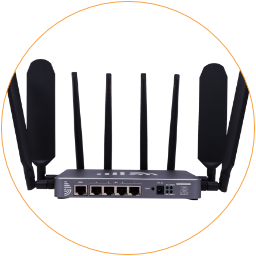
Overview
Wi-Fi hotspots have been turned on by default, and the default Wi-Fi hotspots are Cell-WiFi-xxxx-V4 and V5.
Wireless Overview
Section titled “Wireless Overview”After accessing the router, go to Network > Wireless. This page lists the WiFi configuration section of the physical radio. You can configure the WiFi hotspot and the WiFi relay.
(ra0) MT7615E 802.11bgn is the WiFi4 (2.4GHz) WiFi network
SSID Cell-WiFi-xxxx-V4 | Mode:``Masteris the primary 2.4G WiFi hotspotSSID xxxx | Mode: ClientThe WiFi relay connection appears after setting up the WiFi relay.
(rax0) MT7615E 802.11anac is the WiFi5 (5.8GHz) WiFi network
SSID Cell-WiFi-xxxx-V5 | Mode:``Masteris the primary 5.8G WiFi hotspotSSID xxxx | Mode: ClientThe WiFi relay connection appears after setting up the WiFi relay.

5G Router WiFi Hotspot Overview
Associated Stations
Section titled “Associated Stations”You can check the MAC address, hostname, WiFi signals, and Rx/Tx rate of the linked WiFi client devices.
WiFi Settings
Section titled “WiFi Settings”Click the “Edit” button on the WiFi SSID row to enter the configure section.
i. General Setup
Section titled “i. General Setup”In the section “Device Configuration > General Setup,” you can monitor the WiFi network status and configure its “Network Mode / Channel / Bandwidth / Transmit Power.”
We suggest keeping the default settings with no changes to avoid conflicts.
ii. Advanced Settings
Section titled “ii. Advanced Settings”In the “Device Configuration” section, click the tab of “Advanced Settings” to choose the “Country Code / Threshold / etc.”
iii. Wi-Fi SSID & Password
Section titled “iii. Wi-Fi SSID & Password”In the downward section of “Interface Configuration,” we can edit the WiFi SSID (WiFi hotspot name) on the “ESSID” field.
- ESSID: WiFi hotspot name
- Mode: Keep the “Access Point”
- Network: Keep the “LAN”
- Hide ESSID: It will hide the WiFi broadcast signals after enabling it.

Edit WiFi Hotspot Name
Click the “Wireless Security” tab to enter the encryption section and configure the WiFi password.
- Encryption: Select an encryption method. e.g., WPA-PSA/WPA2-PSK is recommended for home and small office networks.
- Cipher: The default “Force CCMP (AES)” is recommended.
- Essential Renewal: Leave it blank.
- Key: The WiFi password is a secret phrase clients must use to connect to your WiFi network. With WPA-PSK encryption, the Key must be at least eight characters.

Edit WiFi Hotspot Password Encryption
Finally, click the “Save & Apply” button on the bottom right corner to take effect on the above WiFi settings. It will reboot the WiFi hotspot in 2~3 minutes.